Start with the task performed at the screen
Start with the user’s task at the screen. At a reception point, users may scan choices and find a name; at a staff station, they may repeat data entry or process confirmation. These tasks influence screen size, mounting height and the need for a keyboard, scanner or printer. The all-in-one format places computing hardware with the display and touch layer, so enclosure, service access and environment are planned together. Compare the commercial touch PC range after the application is clear. If the project already has a separate host, a touch monitor may fit differently. Record what must be reached, displayed and maintained after installation.
Select the size against a full-scale mock-up
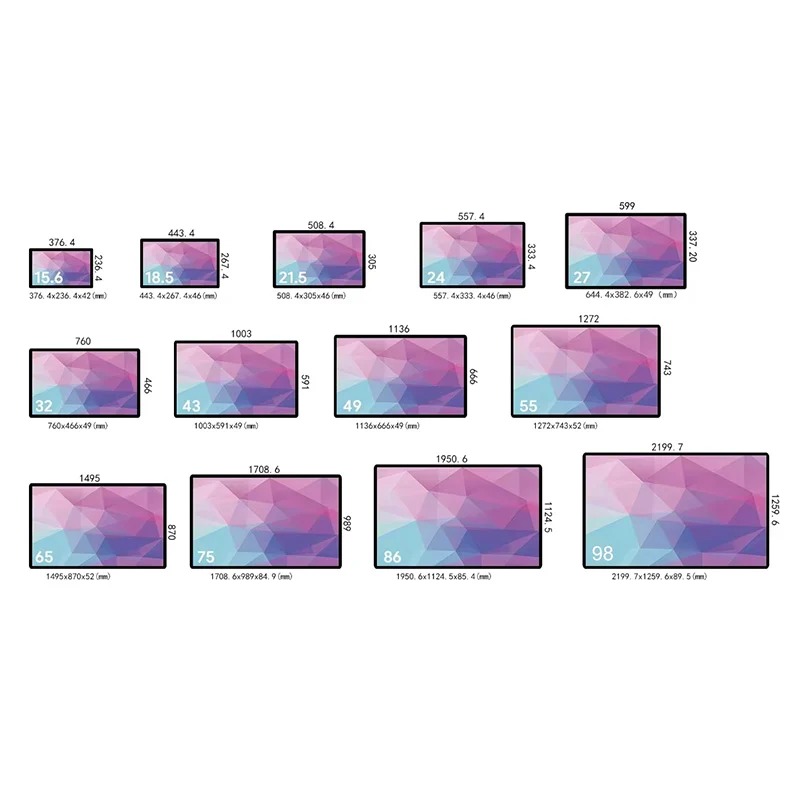
Use a full-scale interface mock-up to compare the 21.5, 24, 27 and 32-inch formats. Place it at the intended mounting height and test text size, button spacing, reach and space beside the screen. A larger panel can organize more information, but it also consumes more wall or counter space. For an OEM enclosure or defined wall opening, review the 27-inch touch panel PC option as a related reference. Before making furniture or cutting an opening, request the quoted unit’s enclosure dimensions, active display area, mounting method, cable clearance and service access. A family size does not supply a complete mechanical specification.
Put the operating system and interfaces in the quotation
Operating system choice belongs in the quotation. The family lists Android or Windows options; confirm which configuration is proposed for your size and quantity. Obtain the board, OS version, memory, storage, ports and power details in writing, then let the application owner check browser requirements, drivers, permissions and third-party licensing. The listed SDK and developer tools can support integration discussions, but the relevant package, interfaces and responsibilities require confirmation for the quoted configuration. If custom software or branding is required, separate software scope, appearance changes and hardware changes in the RFQ. “Android” or “Windows” alone is not a complete technical specification.
Plan acceptance around real work and peripherals
Plan acceptance around the real application and peripherals. Load a representative build on the sample and operate the screens users rely on: login, search, text entry, selection and confirmation. Connect intended peripherals such as a scanner, printer, keyboard or access reader only after confirming interface and driver expectations for the quoted configuration. Check how the application restarts after power restoration, how administrators reach settings, and how cables can be serviced. Ten-point capacitive touch is listed, but glove use, protective covers, liquids or special input methods need separate confirmation. Measure the workflow users experience; a touch specification alone does not define end-to-end application latency.
Define environmental limits and service access
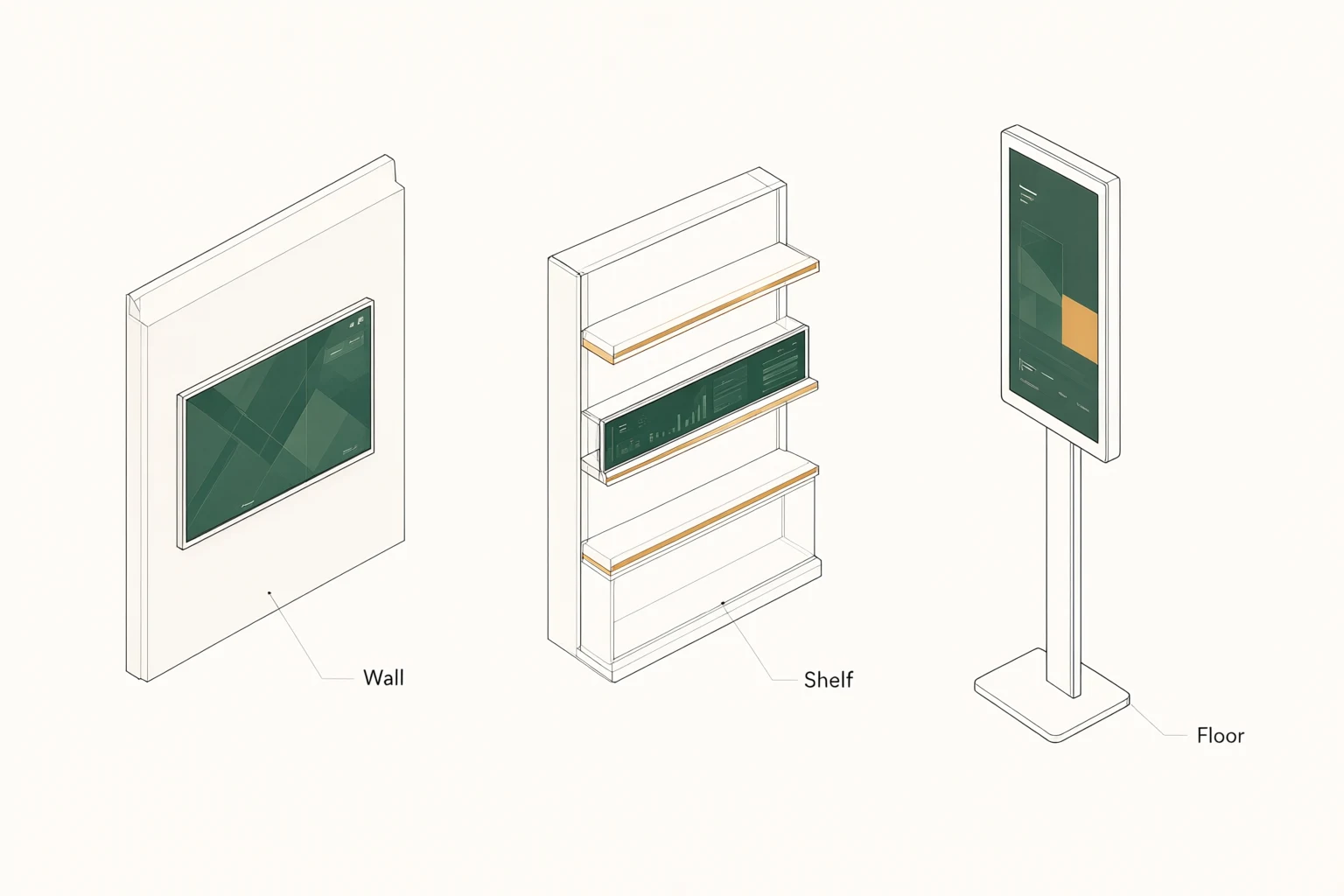
Commercial deployment needs an environmental and service plan. Confirm whether the unit will sit on a counter, wall, cabinet or other enclosure, and provide ventilation, cable routing and maintenance access. State cleaning methods, dust, humidity, heat and public-use conditions so the proposed configuration can be checked. This is an integrated touch computer, not an outdoor display or complete payment kiosk. If outdoor placement, payment hardware, receipt printing or a kiosk-grade enclosure is required, list it as separate scope. Alihh’s OEM/ODM customization process can cover project-specific appearance and hardware requests, but it should be tied to drawings, samples and written approvals.
Build an RFQ the factory can quote precisely
Build the RFQ around decisions the factory can quote. Include size mix and quantity by size, Android or Windows preference, application and OS requirements, memory and storage expectations, essential ports, peripheral models, mounting arrangement, destination and required project schedule. Describe the user task, environment, cleaning method and any branding or enclosure changes. Ask for a sample configuration, approval criteria, packaging details, documentation and the warranty or support terms that apply to the quoted items. Separate hardware, accessories, customization, software-related work and freight so offers remain comparable. Send the brief through the commercial touch PC quotation contact page and ask the supplier to identify anything not confirmable from the current specification.
Frequently asked questions
What is the difference between this product and a touch monitor?
This product integrates computing hardware, display and touch input in one enclosure. A touch monitor connects to a separate host. Choose based on where the application runs, who maintains the computer and whether a separate PC is already part of the installation.
Can the unit run both Android and Windows?
Android and Windows are listed as system options, not a statement that one unit runs both. Ask for the proposed configuration to be written into the quotation, then verify the application and drivers against that exact build.
What should our team test on a sample?
Test the screens and workflows users will operate, the intended peripherals, startup after power restoration, administrator access and the touch conditions in the real setting. Agree pass or fail criteria before the sample is approved.
What information makes the RFQ more accurate?
Provide size mix and quantity, operating system preference, application requirements, ports and peripheral models, mounting method, environment, destination and project schedule. Include any branding, sample and acceptance requirements so hardware and customization can be quoted separately.
Product references